Introducing Cook Mode
Cook Mode is a distraction-free, full-screen way to cook from your recipes — one large step at a time, with read-aloud, inline ingredient amounts, and a screen that stays awake.
Capseta started as a place to keep your recipes in one private spot. Over time we added the Meal Planner and Shopping Lists. This week we are taking the next step, from the cookbook to the grocery store to the kitchen: Cook Mode.
A distraction-free place to cook
Cook Mode is a clean, full-screen view built for kitchen conditions. There is nothing on the screen but the next step, in large, easy-to-read type. Tap anywhere to move to the next step. No scrolling back through a wall of text to find your place, no tiny fonts, no hunting for the next line with flour on your hands.
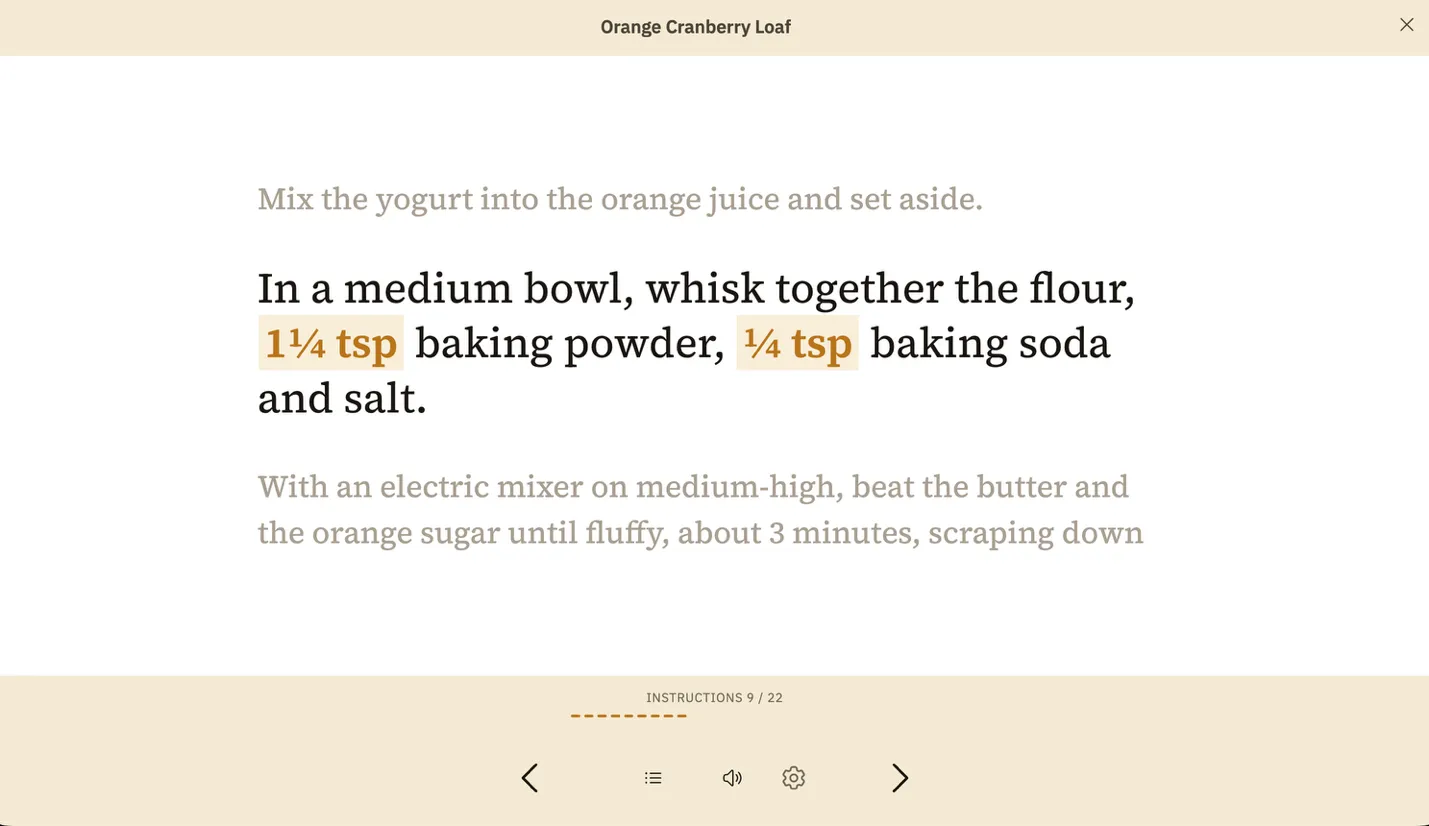
A few things make it work in a real kitchen:
- Read aloud. Tap the speaker icon and Capseta reads the recipe to you. It uses the voices already installed on your device, so it works in any language you have set up. (Voice quality depends on the voices on your device.)
- Amounts where you need them. Ingredient amounts appear inline with each step, so you don’t have to flip between the instructions and the ingredient list mid-task.
- The screen stays awake. No more poking the screen with a knuckle to wake it up while your hands are busy.
- It remembers where you were. Step away to answer the door or check the oven, come back, and you are still on the same step.
Open any recipe, tap Cook, and give it a try. Cook Mode is the kind of feature that only gets better with feedback from real users.
Also in this release
- Import from your camera roll. You can now bring in recipes from photos already saved on your phone, not just ones you take in the moment.
- More placeholder icons. A wider set of food icons so your recipe list looks more like your actual menu.
- Accessibility and performance fixes. A round of smaller improvements under the hood.
As always, this is a beta, and your notes shape what comes next. Reply to the email, use the in-app feedback button, or just tell us what we can do better.
Happy cooking, Joe
Try it with the recipe you’d be sad to lose.
Save it, plan the week around it, and cook from any screen. Free during the public beta.
Joe Schick co-founded Capseta with Marie Schick. He writes here about what we’re building and why.
More from the blog