Nutrition

Nutrition for the recipes you love to cook

Capseta is the digital cooking assistant that calculates nutrition for your own recipes: from cookbooks, websites, or family heirlooms. When your needs change, you can see what’s in the dishes you already make and decide what to change, instead of starting over with recipes someone else picked.

Per serving

  • Butter 565 kcal · 57%
  • Confectioners’ sugar 128 kcal · 13%
  • Sugar 105 kcal · 11%
  • Flour 94 kcal · 9%
  • Everything else 101 kcal · 10%
Example: coffee walnut layer cake, 1 of 9 servings

Your recipes, worked out

Save a recipe from anywhere, and Capseta works out its nutrition from the ingredient list. Your grandmother’s soup gets the same treatment as a recipe from a website: calories, protein, carbohydrate, fat, sodium, and 11 more nutrients, per serving.

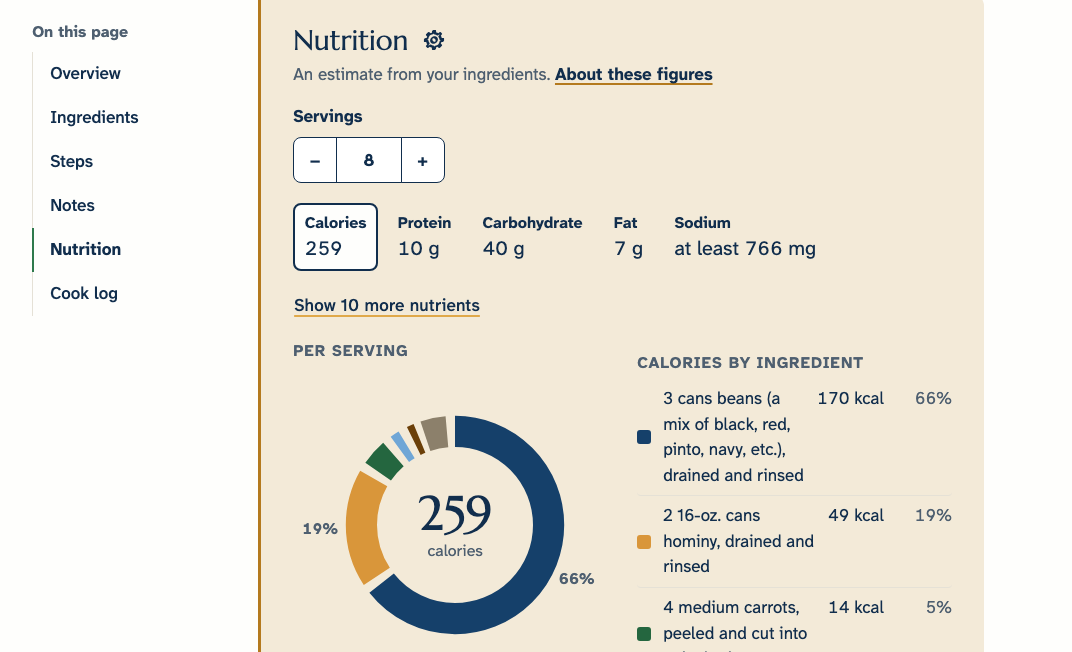
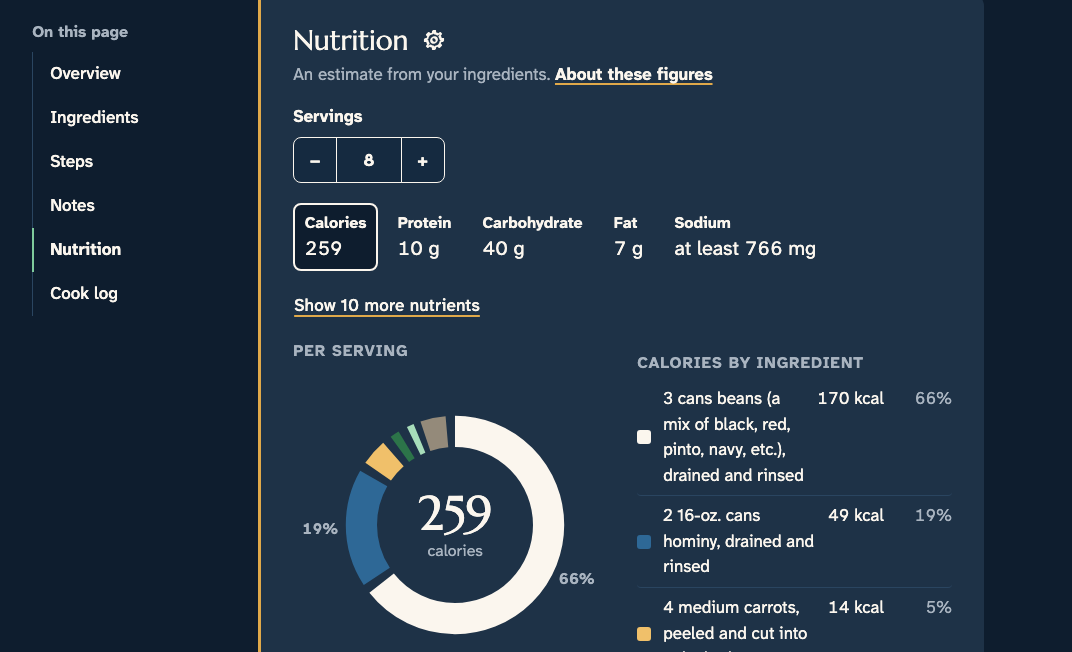
The Nutrition panel on a real recipe: Vegetarian “Pozole” Chili, 8 servings, calories, protein, carbohydrate, fat, and sodium per serving, with the full list a tap away The Nutrition panel on a real recipe: Vegetarian “Pozole” Chili, 8 servings, calories, protein, carbohydrate, fat, and sodium per serving, with the full list a tap away

Every figure is an estimate. We show how we built ours.

Every nutrition figure is an estimate, from an app, a cookbook, or a label. Open “See how we calculated this” on any recipe to see how ours was made.

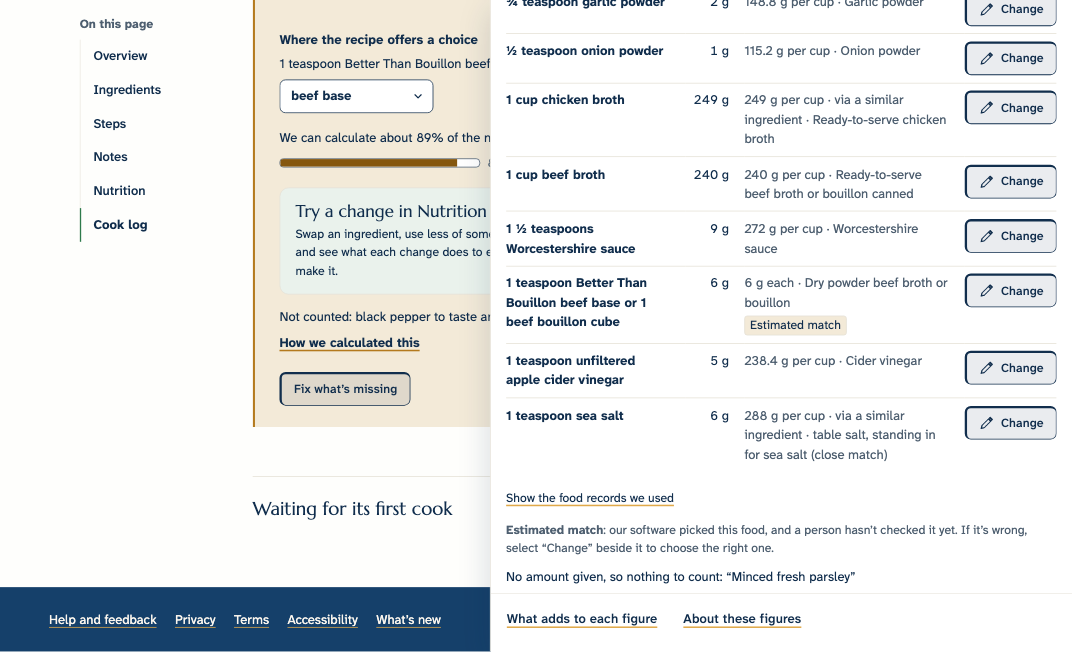
  1. The matchThe food each ingredient was matched to.
  2. The weightHow much we took it to weigh.
  3. The sourceWhere that food’s record came from.
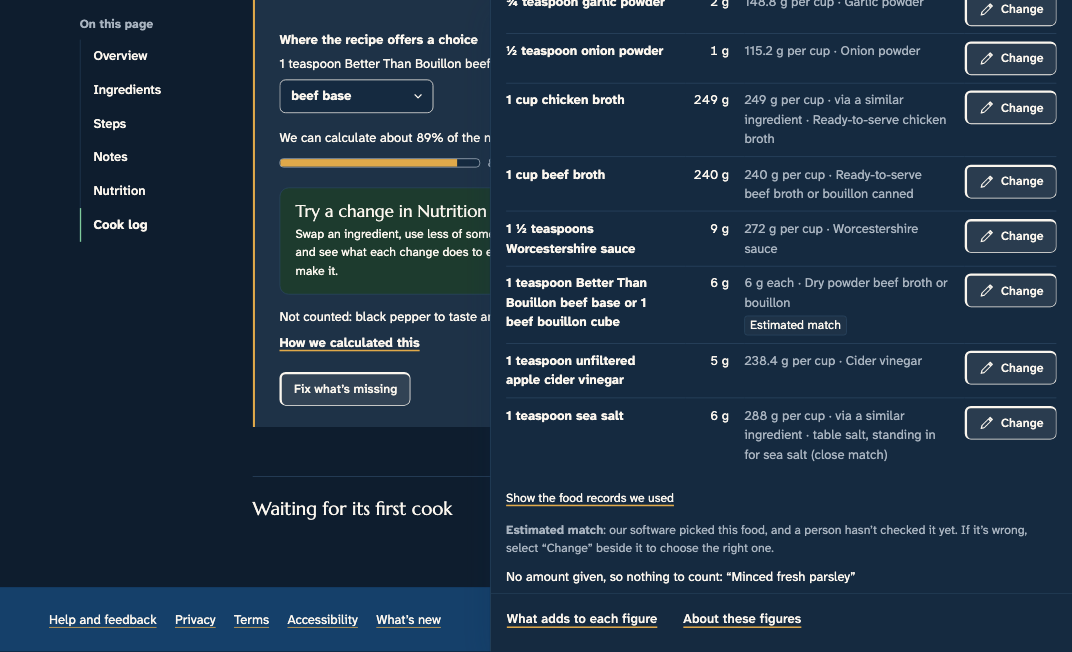
“How we calculated this” open on Homemade Poutine: each ingredient’s weight, the food it was matched to, and its source, an “Estimated match” tag, and the coverage bar at 89% “How we calculated this” open on Homemade Poutine: each ingredient’s weight, the food it was matched to, and its source, an “Estimated match” tag, and the coverage bar at 89%
  1. The coverage barHow much of the dish we could count.
  2. A rangeShown when we had to guess a weight, like “2 medium onions.”
  3. Estimated matchMatched by software, not yet checked by a person.

Make it match the way you cook

A recipe is a starting point. Your kitchen isn’t the recipe writer’s, so Capseta lets you tell it what you actually do.

Your answers about salt and what “a bunch” means are used across your whole library. They change only your own figures, never anyone else’s.

Look into your own recipes

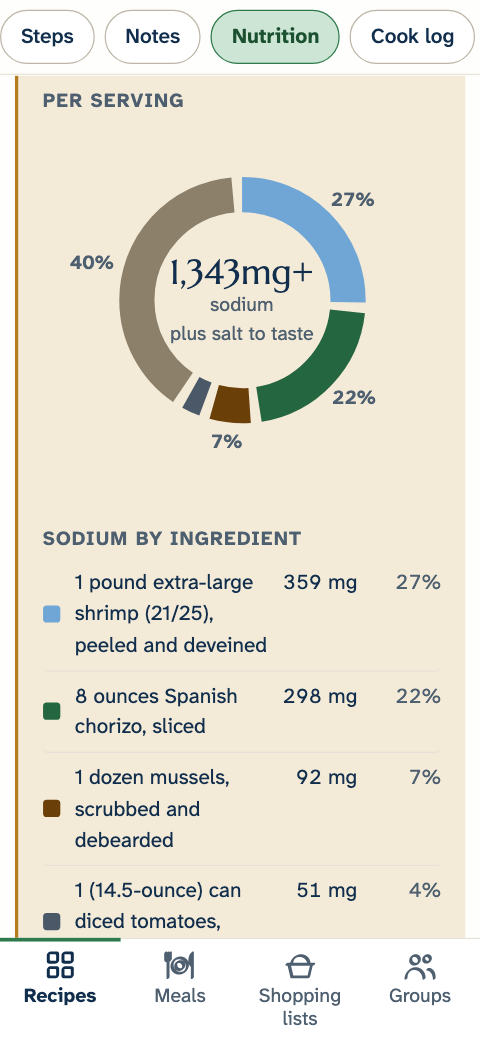
Pick a nutrient under “What adds to each figure,” and the ingredients line up by how much they add. If a soup’s sodium is higher than you’d like, you can see whether it comes from the broth, the soy sauce, or the salt, and decide which one to change. Make the change, and see what it does to the figure.

Choose up to six nutrients to show first on every recipe, in the order you want. The rest are one tap away.

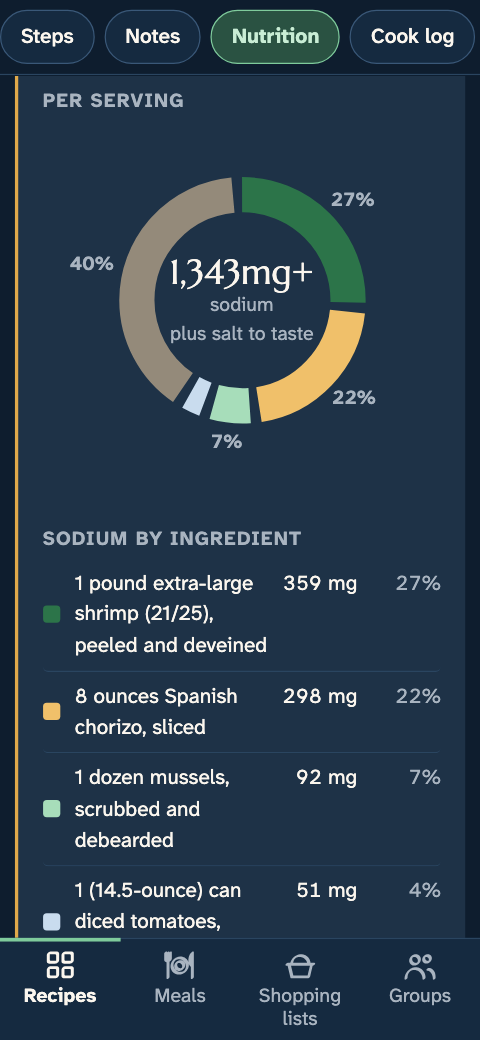
“What adds to each figure” with sodium selected, on a real recipe from Joe’s library “What adds to each figure” with sodium selected, on a real recipe from Joe’s library
Sodium in the paella, by ingredient

Per serving: 462 mg, 359 mg, and 298 mg.

Nutrition Lab

Try a change before you cook it.

Open Nutrition Lab from any recipe to see what a change would do. Swap an ingredient, use less of something, or add one, and every figure per serving updates beside the recipe as written.

Common swaps are a tap away, like chicken breast for thighs or quinoa for rice. Or search for any food or brand, or scan its barcode. Trying a change doesn’t edit your recipe. If you like the result, save it as a new version, with a link back to the original.
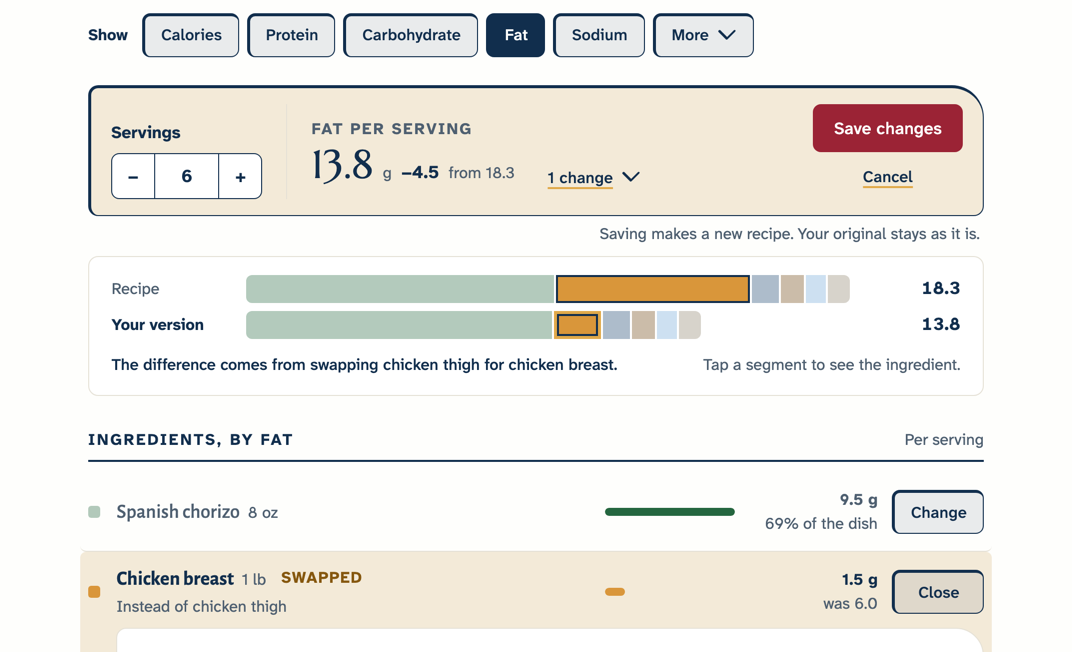
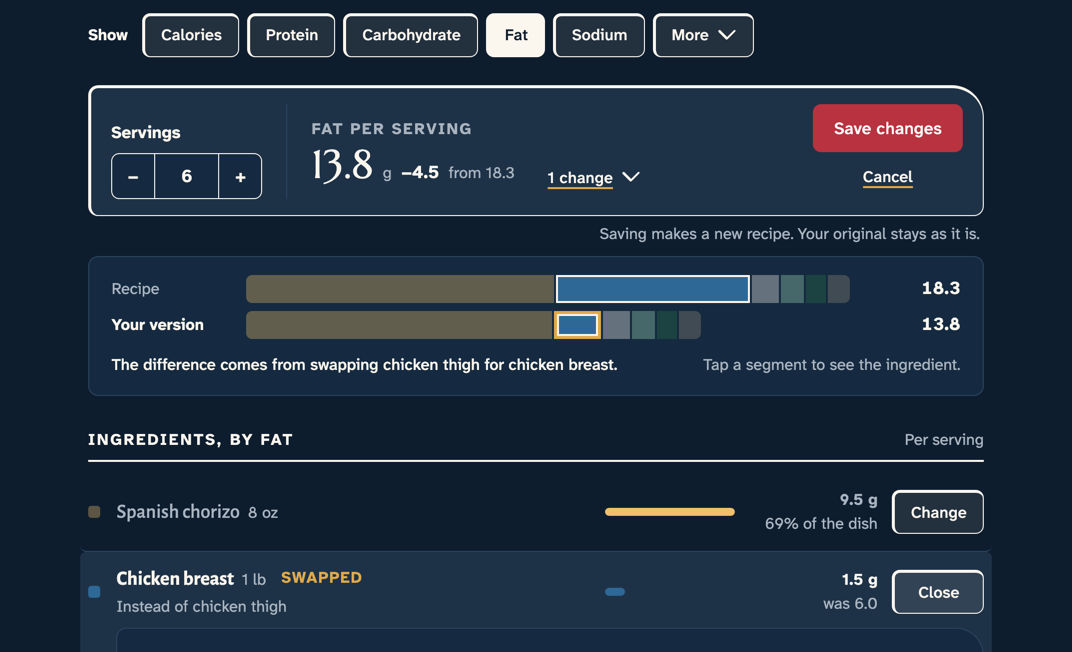
Nutrition Lab on the paella: chicken breast swapped in for the thighs, fat per serving down from 18.3 g to 13.8 g, with the recipe and your version side by side Nutrition Lab on the paella: chicken breast swapped in for the thighs, fat per serving down from 18.3 g to 13.8 g, with the recipe and your version side by side

What we don’t promise

The figures are estimates.
They’re not lab values, not a nutrition label, and not for dosing medication. The food you make will differ with the products you buy, the amounts you use, and how you cook.
Capseta doesn’t check for allergens.
A match to “soy sauce” or “pesto” says nothing about what’s in the product you bought, or what it was made alongside. If you or someone you cook for has an allergy or intolerance, read every label, every time.
It shows total sugars, not added sugars.
Phosphorus and potassium may read low
for processed ingredients, because food makers often don’t report what they add.
It doesn’t track what you eat.
There are no daily totals and no food diary. If you need to log everything you eat, you’ll want a tracking app as well.

How it compares

Many recipe sites and apps show one set of numbers with no sources and no way to change them. The figures may be fine, but you can’t see how they were made. Even packaged-food labels have leeway: in the US, calories, sugars, fat, and sodium can run up to 20% over the label, and EU guidance allows about 20% either way for many nutrients. Capseta shows how each estimate was made, and lets you change it.

Diet apps often start from recipes chosen for you. Capseta starts from the ones you already cook.

How far a label can be from the food

For calories, sugars, fat, and sodium in the US; for many nutrients in the EU.

Questions

Part of how you cook

Nutrition sits beside everything else Capseta does with your recipes: saving them from anywhere, planning the week, building the shopping list, and cooking from the screen.