Part 1
The short version
Capseta works out nutrition from a recipe’s ingredient list. The figures are estimates: a guide to what’s in your cooking, not a lab result or a package label.
Your privacy comes first
- Your name never goes with your ingredients. Not your name, email, or account, to our AI partners, to USDA, or to anyone else.
- Our AI partners don’t train on your ingredients, and they delete them within 30 days unless they’re flagged for a safety review.
- When your cooking helps improve Capseta, it’s as shared words and counts, never as who you are or what you cook.
- Sharing a product’s label with other cooks is your choice, and a person at Capseta checks it first.
- Nothing is sold.
How it works
It’s the standard way to calculate nutrition for a homemade recipe. We read each ingredient line, match it to a food in a public nutrition database, weigh it, and add everything up. When a recipe leaves something out, we make an assumption, tell you what we assumed, and let you change it. See an example
How close it comes today
We test our figures against recipes whose publishers print their own nutrition analysis: the NHS and the American Diabetes Association among the recipes we practice on, and the US Department of Veterans Affairs among the test recipes we keep unseen. On those test recipes, our calorie figure is typically about 11% from the publisher’s, and 22 of 29 come within 20%, about as well as on the recipes we practice on. Protein, carbohydrate, sodium, and saturated fat do less well on the test recipes, and the results page says where and why. The test results
It gets smarter as people cook with it
When a recipe uses a food name we haven’t seen, in any language, that word joins a shared food list, with nothing about who used it. The next cook who uses it gets the match. That helps most with recipes in languages other than English, where public nutrition databases have the fewest names. Your own answers and barcode scans change only your figures. How it learns
When it isn’t sure, it asks
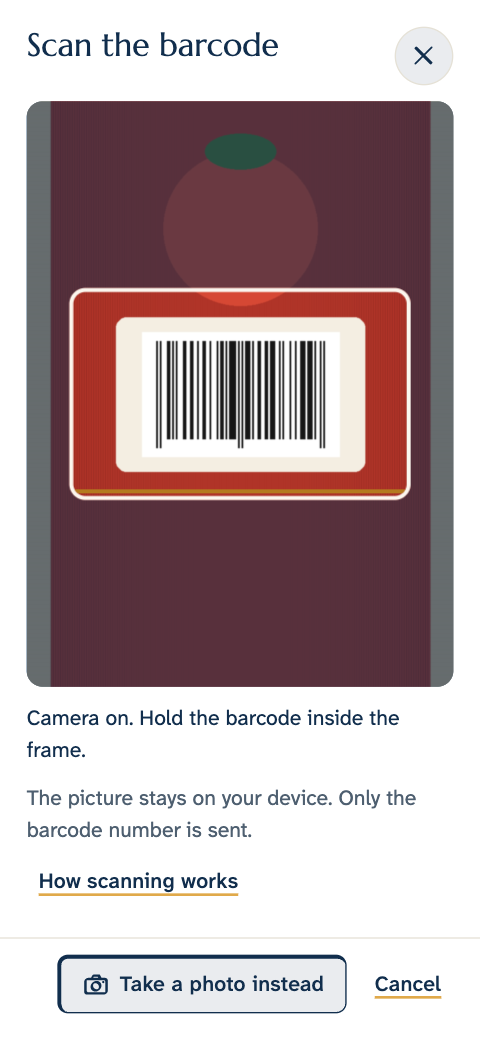
Some things can’t be known from the words alone: which brand of spice blend, dried or fresh porcini, whether “cebollín” means scallion or chives. When a guess could be well off, we ask, and you can answer with a barcode or a photo of the label.
What it can’t do
It doesn’t check for allergens, it isn’t medical advice, and it isn’t a food tracker. If you manage a condition with your diet, check the labels on what you buy and follow your care team’s advice. We’ve tested ten nutrients so far: calories, protein, carbohydrate, fat, saturated fat, total sugars, fiber, sodium, potassium, and phosphorus (phosphorus on practice recipes only, because none of the test recipes’ publishers print it). The panel also shows trans fat, cholesterol, calcium, iron, vitamin D, and alcohol, which we haven’t tested yet.
Tell us
Use “Tell us what looks wrong” in any recipe’s nutrition panel, or write to Hello@Capseta.app. A person reads every note.
More about Capseta: What the nutrition panel does Privacy and ownership The four pillars of respect
Part 2
The details
Why every recipe figure is an estimate
Ask how accurate any recipe nutrition calculator is, and the honest answer starts with one teaspoon of salt.
Same spoon, up to twice the sodium, because the crystals pack differently. A recipe that says “1 teaspoon kosher salt” doesn’t say which, so any calculator has to pick one. We pick Diamond Crystal, and you can change it. Plain “salt” we weigh as table salt. Figures from the brands’ labels, via CSPI.
Calculating nutrition from ingredients is a standard method. European labeling rules allow it, and food scientists have tested it against the lab for decades. Those tests show its limits:
- Food varies. No two carrots are exactly alike: the variety, the soil, the season, and how long they sat in storage all change what’s in them. One brand of tomato sauce differs from the next, too. A database gives a typical value, not the value of the food in your kitchen. The UN’s handbook on food composition data warns that for some nutrients, such as vitamin C, folate, and sodium, a database is “at best, an approximate quantitative guide.”
- A single dish can be well off. In a 2017 Danish study of 155 fast-food samples, recipe calculation with an older food database was off by 28% for saturated fat, the largest error. With the newer database, the error was under 15% for every nutrient, but individual foods still ranged from under 15% to more than 50% off.
- When nutrition tools disagree, the main reason is the food data underneath. That’s why we show the food behind every ingredient.
- Labels are estimates too. In the US, FDA rules let a package hold up to 20% more calories, fat, sugars, or sodium than its label states, or as little as 80% of its stated protein, fiber, or potassium, before the product counts as mislabeled. European guidance on label tolerances names values “calculated by recipe instead of analysis” as one reason labels vary.
No method removes these limits, including ours. We show you how we made each figure, so you can decide how far to rely on it.
Where the data comes from
Every ingredient in the panel names its source. These are all of them, and we add to this list as we put new sources into use:
- USDA FoodData Central
-
Our first choice for every ingredient: Foundation Foods, SR Legacy, and the Food and Nutrient Database for Dietary Studies (FNDDS), plus Branded Foods for packaged products and barcodes. There’s no fixed order among them. For each line we take the record that best matches it, preferring one with a full set of nutrients and household measures such as cups or “1 medium.” That often means SR Legacy over Foundation Foods, whose lab-analyzed records are often partial. For several hundred common foods, we chose the record by hand.
License: Public domain (US government data)
- Open Food Facts
-
Barcodes USDA doesn’t hold. Volunteers maintain this database of packaged foods.
License: Open Database License
- Open European food tables
-
A few foods USDA doesn’t cover. These tables report available carbohydrate, without fiber, so we add the fiber back, which puts it on USDA’s basis (carbohydrate by difference).
Licenses:
- France’s CIQUAL (ANSES): Etalab Open Licence 2.0
- The Swiss Food Composition Database (FSVO): Swiss terms that allow commercial use
- The Swedish Food Agency’s food database: CC BY 4.0
- Product labels
-
A label you enter or photograph changes your own figures. When another cook chooses to share a label, a person at Capseta checks it before we offer it to anyone else.
- Size estimates
-
When no source gives the weight of one of an item, our AI partners place it in a size class, such as small or medium, and the figure shows a range across that class.
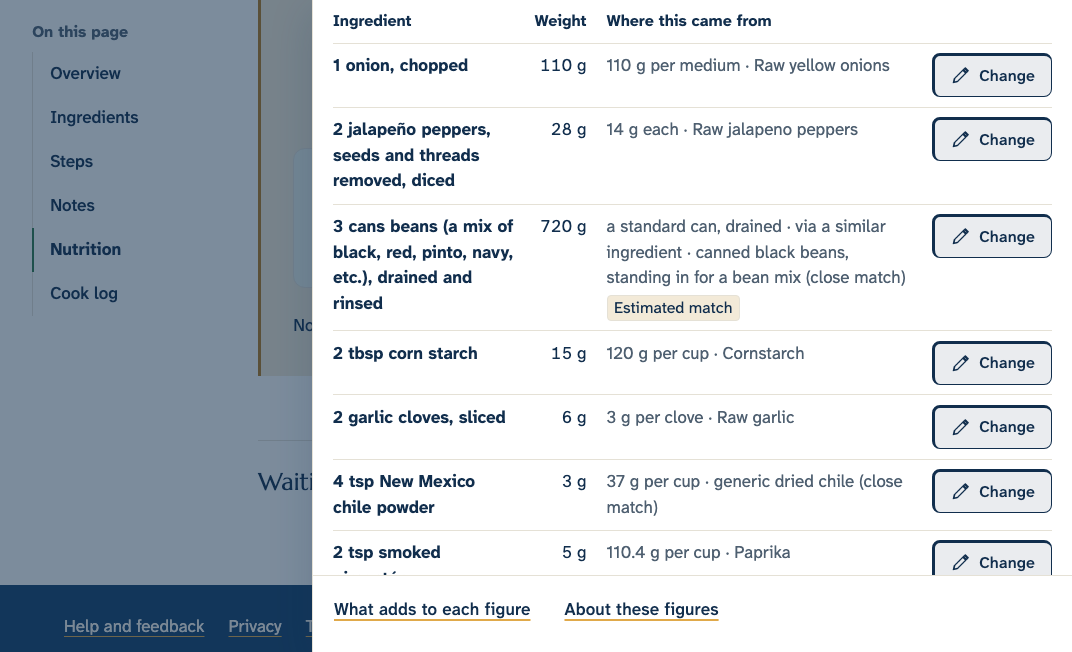
From ingredient line to figure
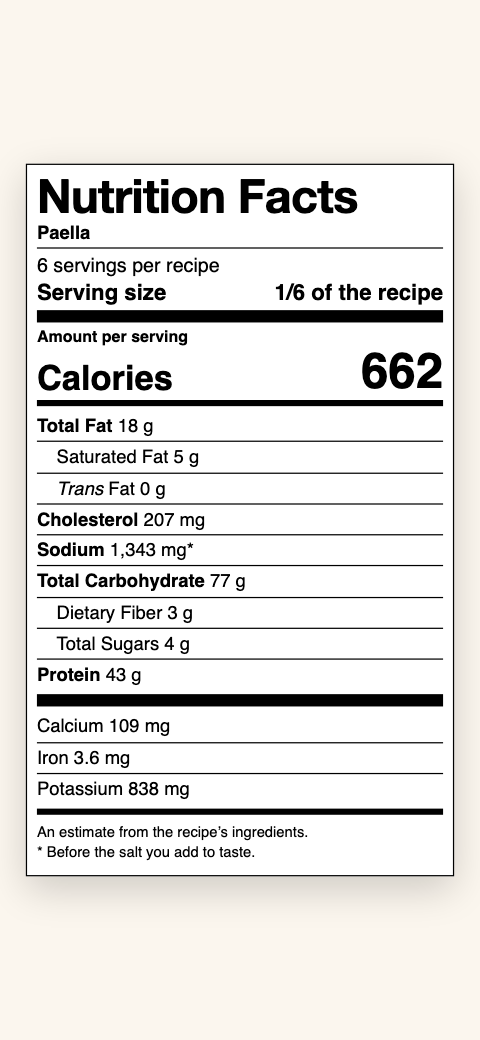
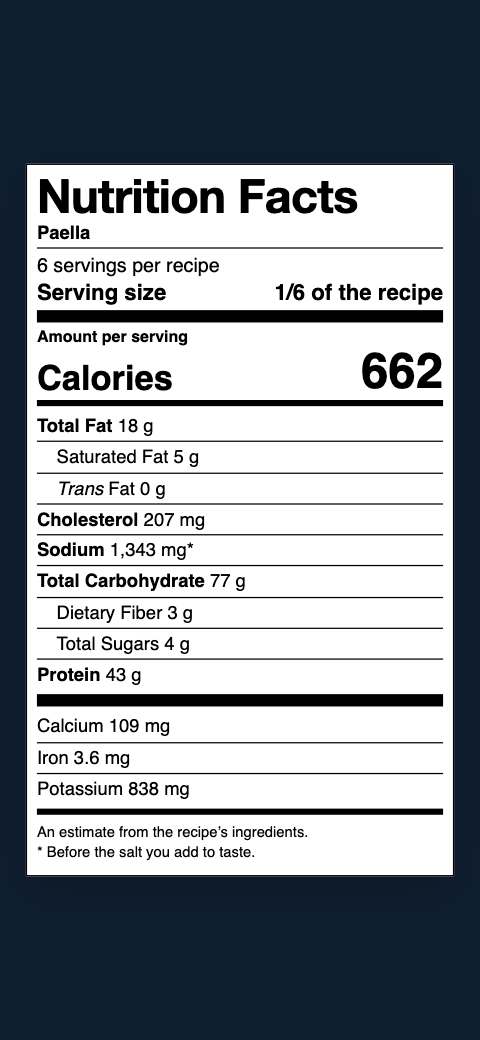
Here’s one line from a recipe, followed all the way to the nutrition panel. Every line in every recipe goes through the same four steps.
-
1 Read the line
We read each line into an amount, a unit, and a food, and keep any note, such as “chopped,” because it can change the weight. We read a line in any of Capseta’s languages as the food it names, so “cebolla,” “Zwiebel,” and “oignon” all count as onion.
-
2 Match the food
We match the food to one record in a public nutrition database, here USDA’s raw onions, not cooked onions or dried flakes. The record gives the nutrients in 100 g and the weight of common measures. If no one at Capseta has checked a match yet, the panel marks it “Estimated match,” and you can change it.
-
3 Weigh it
We turn the amount into grams. Cups and spoons convert to grams by ingredient, so a cup of flour and a cup of honey weigh different amounts, and a cup of chopped onion weighs more than a cup of sliced. Items like “1 onion” use USDA’s weight for one when it has one. When it doesn’t, we estimate the weight from the item’s usual size, and the figure becomes a range. A recipe that gives weights gets a narrower estimate.
-
4 Add up and divide
We work out each nutrient for the line, add every line together, and divide by the servings. The onion adds 128 calories to the whole pot, or 32 to each of four plates. Change the servings in the panel, and every figure follows.
We add up the ingredients as they go in and don’t adjust for what cooking changes, such as water that cooks off or potassium that leaches into cooking water. USDA publishes retention factors for that, and applying them is on our list. A few things we do account for: alcohol counts only what survives the cooking time, deep-fried food counts the oil it soaks up, what the recipe drains or takes out is left out, whole cuts of meat count trimmed, and bacon the recipe calls cooked counts as cooked bacon.
A recipe shows the same figures every time until something changes: a match you make, one we review, a line we couldn’t match before finding one, or an improvement to the method. We keep a dated record of how each change moves the figures.
Some lines can’t be settled from the text, so we ask instead of guessing. A store-bought product whose figures depend on the brand, such as a spice blend or salsa Lizano, asks for its barcode or nutrition label. A word with two regional meanings, such as cebollín (scallion or chives), asks which one you mean unless the recipe says.
What we assume when a recipe doesn’t say
Recipes leave things out. When we fill a gap, the panel says what we assumed, and you can replace it.
Changing what we assumed
You can replace every assumption above with what you actually do:
-
Salt to taste: tell us how much salt you add at the end, per serving. Or give an amount in the recipe, and we use yours.
-
Kosher salt: choose Diamond Crystal or Morton once, and it’s used in all your recipes.
-
“Or”: choose the one you used, and the figures change for that recipe.
-
Coatings: tell us how much ends up in the food.
-
Weights: give a weight in the recipe, and we use it instead of our estimate.
-
Served alongside: add it to the ingredients with an amount to include it.
-
Servings: change the servings in the nutrition panel to match your portion.
Your answers change only your own figures.
How much of the dish we could count
The coverage bar shows how much of the dish, by weight, has nutrition data. Anything not counted makes the figures run low, so the panel names those ingredients. If we have figures for less than half of the dish, the panel says so.
What a range means
Some items have no published weight for one of them, such as “2 chicken thighs” or “1 bunch cilantro.” We place each one in a size class, small, medium, or large, and work the figure out three ways:
The range shows only how far those weight estimates could move the figure. It doesn’t include the other ways an estimate can be off, such as how foods vary, so the real figure can fall outside it. To narrow the range, give the weight in the recipe or name the product.
How it gets smarter
- New food words. When a recipe uses a food name we haven’t seen, in any language, the name joins a shared food list. Our AI partners help match it to a food record, and a person at Capseta checks the matches the AI isn’t sure of. From then on, every cook who uses that word gets the match.
- Lines already read. So no line is read twice, we keep a shared copy of how a line like “2 cups flour” reads.
- Your answers and scans. An answer to a question, a barcode you scan, or a label you enter changes only your own figures. We count how many cooks gave each answer, and that helps us decide when a default should change for everyone.
- Labels you choose to share. A person at Capseta checks the figures, and then other cooks can pick that product.
- Reports. A person reads every report, and when we had it wrong, the fix reaches everyone.
This matters most outside English. Public nutrition databases name foods mostly in English, so each word a cook uses in Spanish, German, Polish, Catalan, or any of Capseta’s languages is one more word Capseta knows the next time. None of it carries who you are: what we keep, and what we don’t.
Privacy
Your privacy, in detail: what happens to your ingredients
Your name never goes with your ingredients. What we send to our AI partners, USDA, or Open Food Facts carries no name, email, or account. Our AI partners don’t train on it and delete it within 30 days unless it’s flagged for a safety review. Our Privacy Policy names each one.
How they’re read
- When you add, import, or edit a recipe, its ingredient lines are sent to our AI partners to be read into amounts and foods, the same way an import is.
- A photo of a nutrition label is read the same way, after its location data is removed.
- The figures are estimates, worked out on our own server from a copy of USDA’s data.
- If you search for a branded product, our server sends your search words to USDA.
- A barcode you scan or type is looked up by our server with USDA, then Open Food Facts.
What stays private
- Lines and photos go without your name or account, and aren’t used to train AI models.
- So no line is read twice, we keep a shared copy of how a line like “2 cups flour” reads, with nothing linking it to you or your recipe.
- New food names join a shared food list, and the AI helps match them to USDA records.
- Nothing is sold.
What our team sees
- Matches the AI isn’t sure of, with a few example lines and recipe titles, never whose they are.
- The reports you send, and how many people gave each answer, not who.
Your answers
- Your answers and corrections, including figures from a label, change only your own figures.
- If you choose to share label figures, a person at Capseta checks them first. Then other cooks can pick that product, and your name isn’t attached.
How long it’s kept
- Our AI partners delete ingredient lines and photos within 30 days, unless they’re flagged for a safety review. We don’t keep label photos.
- Your answers, corrections, and reports are deleted with your account. Shared label figures stay available to other cooks.
Sources: USDA FoodData Central, product labels where USDA has no data, and open European food tables, such as CIQUAL, for a few foods.
Further reading
Sources outside Capseta on how food composition data and nutrition labels work:
- Food Composition Data: Production, Management and UseGreenfield and Southgate, Food and Agriculture Organization of the United Nations (FAO), 2003The UN’s handbook on food composition data, including how to calculate a recipe from its ingredients.
- INFOODSFAOThe international network that sets standards for food composition tables.
- FoodData Central documentationUS Department of AgricultureHow USDA builds each of the databases we use.
- Regulation (EU) No 1169/2011, Article 31European UnionAllows a label’s nutrition figures to be calculated from the ingredients’ known values.
- 21 CFR 101.9(g)US Food and Drug AdministrationHow far a US nutrition label may differ from what’s in the package.
- Guidance on tolerances for nutrition labelsEuropean CommissionThe same question for European labels.
- Comparison between analyzed and calculated nutrient content of fast foodsTechnical University of DenmarkCalculated figures for 155 fast-food samples, checked against the lab.